App for Wix sites · Free plan

An accessibility toolbar that loads fast and tracks no one

Lumo adds an accessibility button to every page of your Wix site. Visitors open it to enlarge text, raise contrast, highlight links, stop animations and more, and the site remembers their choice on every page. No cookies, no tracking, nothing sent to us.

  • 18 adjustments
  • No cookies, no tracking
  • Free up to 5,000 visitors a month
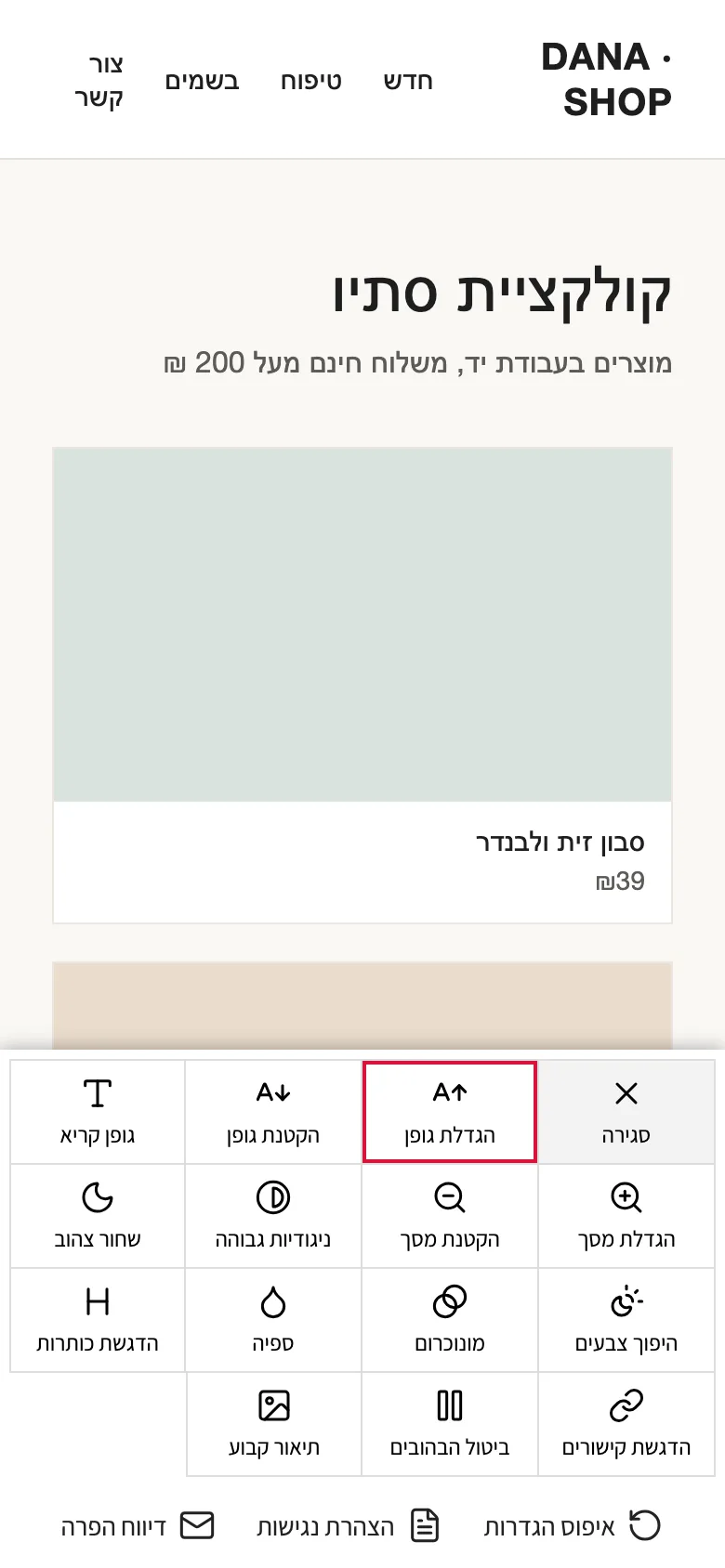
The Lumo toolbar open on a phone, over a sample store: buttons for font size, zoom, contrast, color modes, links, headings and image descriptions
  • 18 adjustmentsText, color, links, keyboard, cursor.
  • Light and fastAbout 10 KB, after the page loads.
  • No trackingNo cookies, nothing sent to us.
  • Your statementLinks to your statement and email.
Features

What your visitors get, and what you control

You set Lumo up once from your Wix dashboard. It works on every page of your site, on desktop and mobile.

18 adjustments in one panel

Bigger or smaller text, zoom, a readable font, high contrast, black and yellow, inverted colors, monochrome, sepia, highlighted links and headings, keyboard navigation, no animations, a big cursor and image descriptions.

Visitors

Remembered on every page

A visitor’s choice is saved in their own browser, so the next page opens already adjusted, without a flash of the unadjusted page. A reset button puts everything back.

Visitors

No cookies, no tracking

The toolbar sets no cookies, sends nothing to us and has no server of ours behind it. Settings stay in the visitor’s browser.

Privacy

Doesn’t slow your pages

One small file, about 10 KB compressed, loaded after your page has loaded. Visitors who saved settings get it right away, so their page appears adjusted.

Speed

Your statement and a report link

Link the panel to your accessibility statement page and to an email address for reporting a problem, with your site’s name in the subject.

Settings

Your color and corner

Pick the button’s color and the corner it sits in, so it fits your design.

Settings

Accessible itself

The toolbar works with the keyboard: Tab or the arrow keys move between buttons, Esc closes the panel, and each button says whether it’s on.

Keyboard

Real Custom Code, one switch

Saving writes the toolbar into your site’s Custom Code, in the head of every page. It appears in your Custom Code list, and one switch in the app turns it on or off.

Setup

Five languages

The toolbar speaks Hebrew, English, Spanish, Portuguese and French, right to left in Hebrew. Use the default, follow each visitor’s browser language, or set one language for everyone. The dashboard comes in the same five languages.

Languages

Every adjustment, one click away

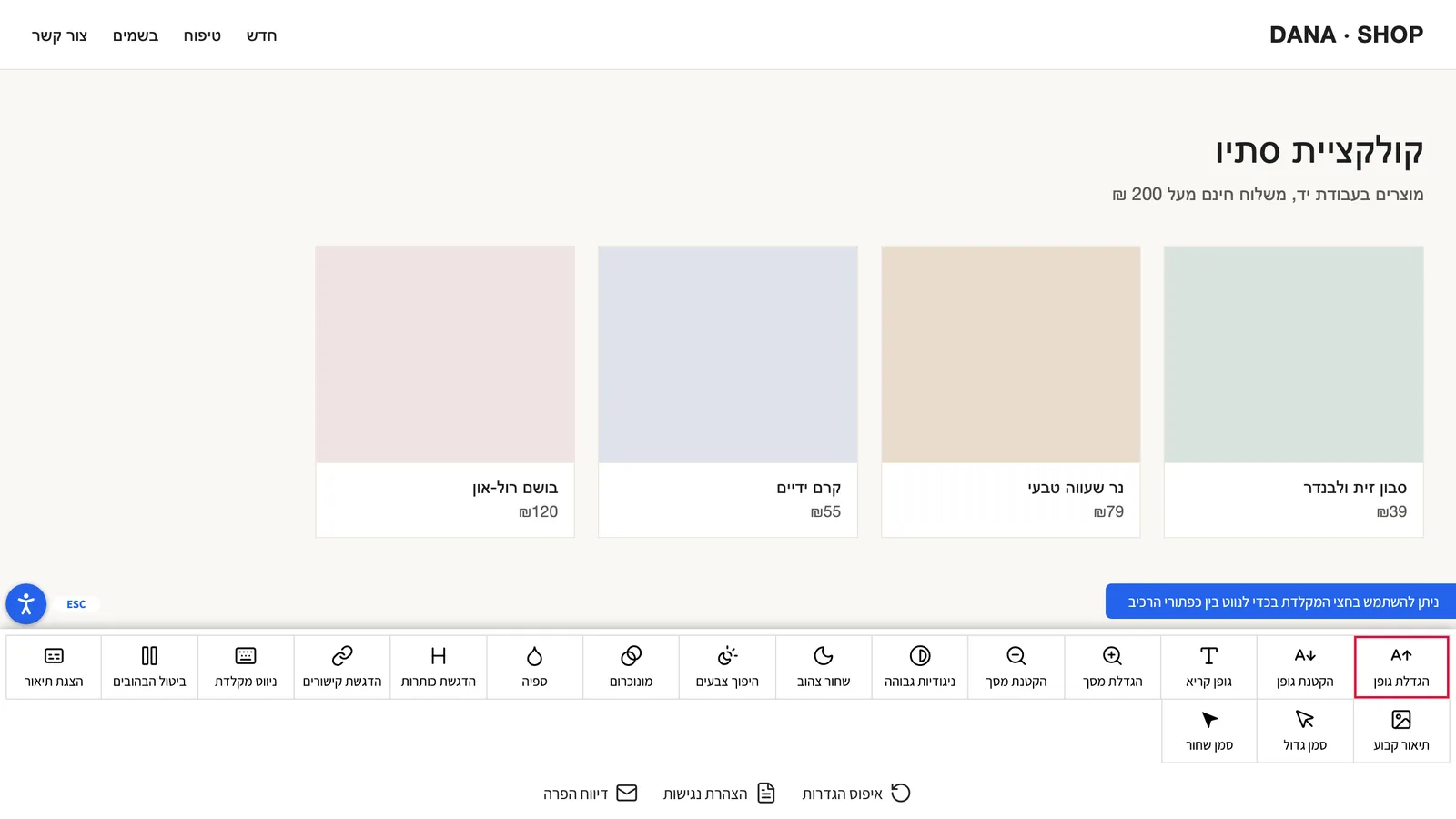
The panel opens from the button in the corner of the page. On a phone it fills the bottom of the screen.

The Lumo panel open across the bottom of a sample store on a desktop: 18 adjustment buttons, and links to reset, the accessibility statement and reporting a problem
The toolbar on a sample store, in Hebrew.

Text and zoom

  • Bigger text
  • Smaller text
  • Readable font
  • Zoom in
  • Zoom out

Color and contrast

  • High contrast
  • Black and yellow
  • Inverted colors
  • Monochrome
  • Sepia

Finding your way

  • Highlight links
  • Highlight headings
  • Keyboard navigation
  • Stop animations

Cursor and images

  • Big white cursor
  • Big black cursor
  • Show image descriptions
  • Keep descriptions on
How it works

Set it up once, and it’s on every page

Install Lumo from the Wix App Market. Wix opens the app’s page in your dashboard.

  1. Install

    Install the app on your site and approve the permissions it asks for.

  2. Set it up

    Choose the button’s color and corner, add your accessibility statement page and an email for reports, and click Save.

  3. It’s live

    Saving adds the toolbar to your site’s Custom Code, on every page. Visitors see the button within a few minutes.

  4. Visitors adjust

    They open the panel and pick what helps them. Their choice is remembered on every page of your site.

Plans

Free for most sites, $4.99 when you grow

Every adjustment is in the Free plan. Pro removes the visitor limit. Plans are billed through Wix, like any app in the Wix App Market.

Free

$0

Everything, for sites with up to 5,000 visitors a month.

  • Up to 5,000 unique visitors a month
  • All 18 adjustments
  • Links to your statement and a report email
  • Your color and corner

Pro

$4.99 a month, or $48.96 a year (18% off)

For sites with more visitors.

  • Everything in Free
  • Unlimited visitors
  • No “unlicensed” mark

Visitors are counted as unique visitors in the last 30 days, from your site’s Wix data. Over 5,000 on Free, the toolbar keeps working for everyone: a small “unlicensed” mark appears next to its button, and a line at the bottom of the panel points the site owner to the upgrade.

For site owners

How to upgrade to Pro

Did you get here from the accessibility toolbar on a site? The toolbar keeps working fully, and you don’t need to do anything. The message is for the site’s owner.

If your site shows a small “unlicensed” mark next to the accessibility button (“ללא רישיון” in Hebrew), it passed the Free plan’s 5,000 unique visitors in the last 30 days. The toolbar still works for every visitor. To remove the mark, upgrade to Pro from your Wix dashboard. There’s no purchase on this page, because the plan belongs to your site.

  1. Open your site’s dashboard on Wix.
  2. Go to Apps and open Lumo Accessibility Toolbar. On its page, click Upgrade to Pro. You can also use Manage Apps: Wix shows an Upgrade button next to the app.
  3. Choose monthly ($4.99) or yearly ($48.96), and pay in Wix’s checkout.
  4. The mark comes off your site within a few minutes.
  • The mark is updated when you open Lumo in your dashboard: it appears only after a visit in which the count is over 5,000, and it comes off at your next visit once the count is back to 5,000 or fewer. A purchase takes it off without a visit.
  • A browser that saved a page earlier can show the old state for a few more minutes.
  • If your site’s visitor count can’t be read, the site is never marked.
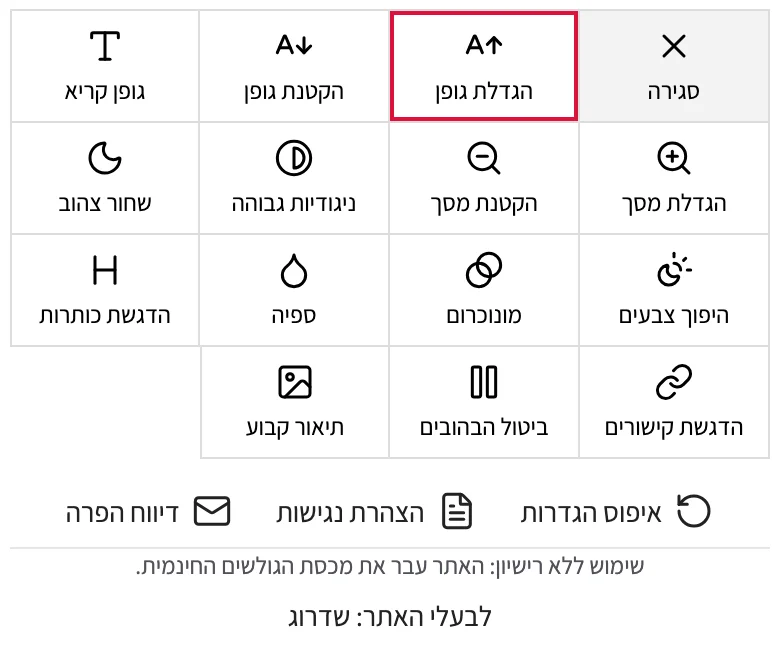
The accessibility button with a small dark tag next to it that reads “ללא רישיון” (unlicensed) The bottom of the open panel, under the adjustment buttons: the line “שימוש ללא רישיון: האתר עבר את מכסת הגולשים החינמית. לבעלי האתר: שדרוג” (unlicensed use: the site passed the free visitor quota; for the site owner: upgrade)
Over the limit on Free: the tag next to the button, and the line at the bottom of the panel.
FAQ

Questions site owners ask

Is there a free plan?

Yes. Free includes all 18 adjustments, the statement and report links, and your color and corner, for sites with up to 5,000 unique visitors a month. Pro costs $4.99 a month, or $48.96 a year (18% off), and has no visitor limit.

What happens when my site passes 5,000 visitors?

The toolbar keeps working for every visitor. A small “unlicensed” mark appears next to its button, and a line at the bottom of the panel points the site owner to this page’s upgrade section. Upgrade to Pro in your Wix dashboard and the mark comes off within a few minutes.

How are visitors counted?

As unique visitors in the last 30 days, from your site’s Wix data, the same number Wix shows you. The app reads it when you open its page in the dashboard. The toolbar itself counts nothing and sends nothing.

Does Lumo make my site accessible, or compliant with the law?

No toolbar can do that on its own. Lumo helps visitors adjust how your site looks and behaves, but your site’s accessibility depends on its design, content and code. You remain responsible for your site’s accessibility and for any legal duty that applies to you, such as Israel’s accessibility regulations and standard IS 5568. Use Lumo alongside accessible design and an accessibility statement, not instead of them.

Does it use cookies or track visitors?

No. The toolbar sets no cookies, sends no requests to us and reads no visitor data. A visitor’s settings are saved only in their own browser (local storage). The toolbar file is loaded from Google’s cloud storage, or from Wix if that fails, like any file a page loads.

Will it slow my site?

It’s one file of about 10 KB compressed, loaded after your page has finished loading. For visitors who saved settings, it loads right away so their page appears adjusted.

How do I remove the toolbar?

Turn it off with the switch on the app’s page, or delete its snippet from your site’s Custom Code (Settings → Custom Code). Uninstalling the app on its own doesn’t remove the snippet, so turn the toolbar off first.

What languages does it support?

Hebrew, English, Spanish, Portuguese and French, for the toolbar and for the app’s dashboard. You choose the toolbar’s language: the default, each visitor’s browser language, or one language for everyone.

More answers on the support page.

An accessibility toolbar for every page of your site

Install Lumo, set the color and your statement link, and save. It’s free up to 5,000 visitors a month.

Get it on the Wix App Market