Rules by region
Built around Israel’s Privacy Protection Law (Amendment 13, in force since 14 August 2025), with EU (opt-in) and US (opt-out, honoring Global Privacy Control) rules built in. The region is picked from the visitor’s time zone.
LawApp for Wix sites · Free plan
Maskim shows your visitors a clear choice and hands it to Wix, so statistics and marketing scripts wait until the visitor agrees. Visitors can change their mind at any time and send a privacy request, and every choice is logged in your own Wix CMS, not on our servers.
You set Maskim up once from your Wix dashboard. It works on every page of your site, on desktop and mobile.
Built around Israel’s Privacy Protection Law (Amendment 13, in force since 14 August 2025), with EU (opt-in) and US (opt-out, honoring Global Privacy Control) rules built in. The region is picked from the visitor’s time zone.
LawThe visitor’s choice goes to Wix’s own consent mechanism, so Wix holds back statistics and marketing scripts added through Wix (Google Analytics, Google Tag Manager, Meta Pixel and others) until the visitor agrees. Maskim also sends Google Consent Mode v2 signals.
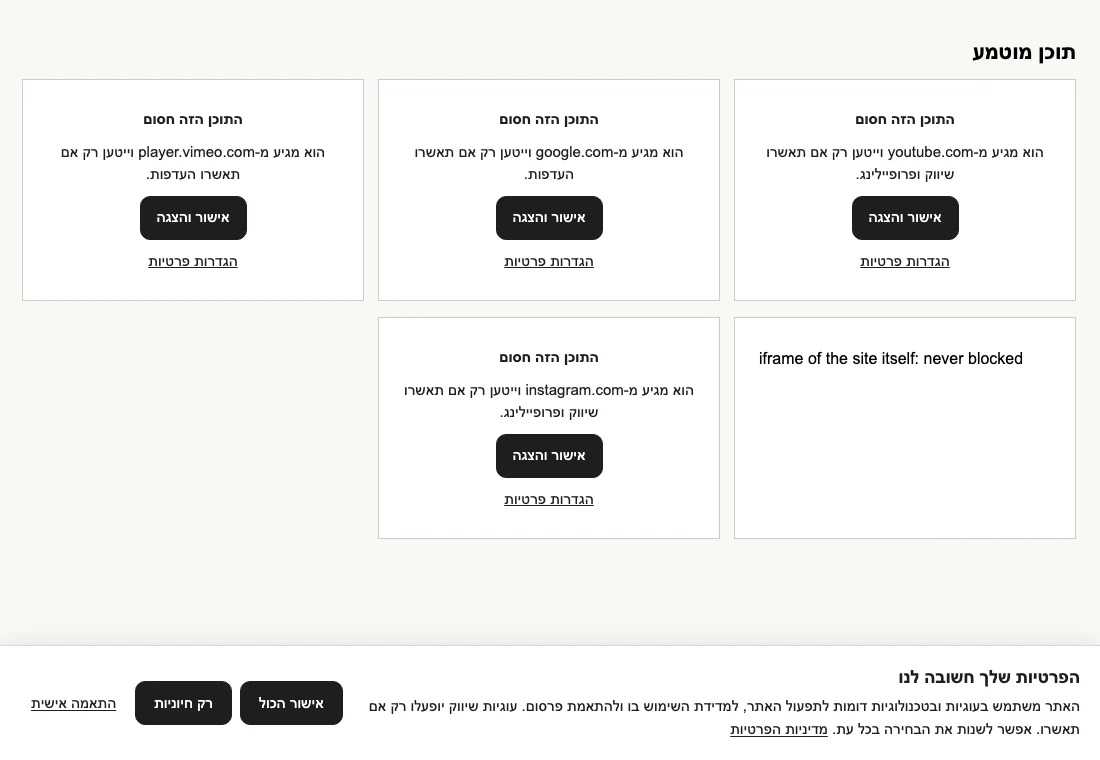
BlockingContent from other companies, such as YouTube, Google Maps, Vimeo and social embeds, stays behind a placeholder with an “Allow and show” button until the visitor agrees.
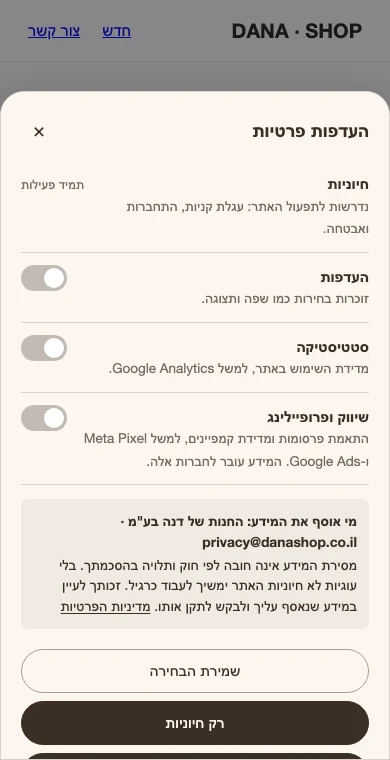
BlockingFour categories: Essential (always on), Preferences, Statistics, and Marketing and profiling. “Essential only” has the same weight as “Accept all”.
VisitorsThe banner doesn’t come back after a decision. A small floating button reopens the privacy center, so consent can be withdrawn as easily as it was given.
VisitorsVisitors change their preferences and send a privacy request: see my data, correct, delete incorrect data, remove me from mailings, or withdraw consent. Requests land in an inbox in your dashboard, with a 30-day reply countdown.
PrivacyEvery choice is recorded: a random id, time, the choice, region, language, text version and page. No IP address and no name. Export it to CSV.
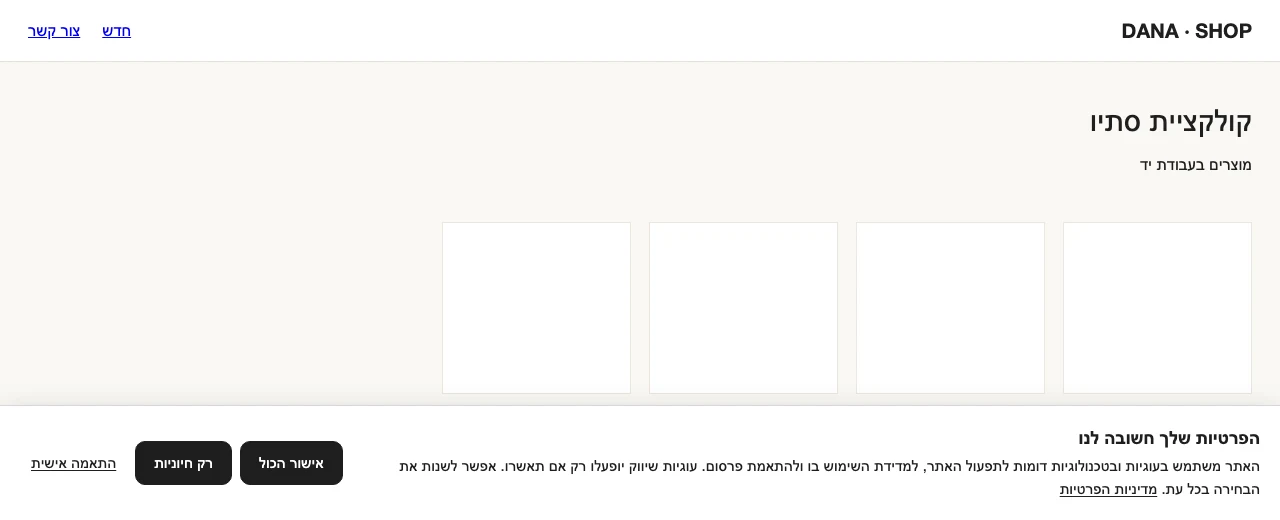
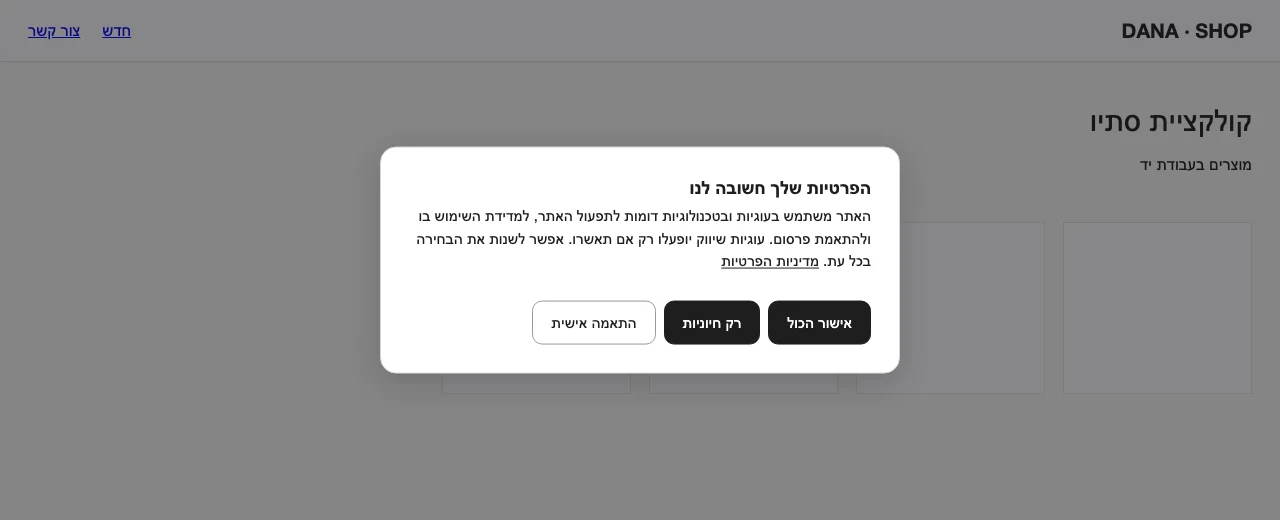
PrivacyBar, slim strip, floating bar, corner box and centered dialog, in light, dark or colored. Control colors, size, position, corner radius, button order and every text, with a live preview for desktop and phone, and a contrast check.
DesignThe banner speaks Hebrew, English, Arabic, Russian, French and Spanish, right to left where needed. Use one language, or several chosen by the page’s or the visitor’s language. The dashboard comes in the same six languages, with a language switch inside the app.
LanguagesThe banner opens at the bottom or center of the page. The preferences open as a sheet on a phone.
Install Maskim from the Wix App Market. Wix opens the app’s page in your dashboard.
Install the app on your site, approve the permissions it asks for, and turn off Wix’s built-in cookie banner or any other consent app.
Choose a template, colors, languages and texts, and check the preview on desktop and phone. Review the default texts: they are a starting point.
The banner is added to every page of your site. Visitors see it on their first visit.
Their choice goes to Wix and into your consent log. They can change it any time from the floating button.
Everything is in the Free plan. Pro removes the visitor limit. Plans are billed through Wix, like any app in the Wix App Market.
$0
Everything, for sites with up to 5,000 unique visitors in 30 days.
$5.99 a month, or $57.48 a year (20% off)
For sites with more visitors.
Visitors are counted as unique visitors in the last 30 days, from your site’s Wix data. Over 5,000 on Free, the banner and the blocking keep working, in one language and with Israeli rules. The consent log pauses, and extra languages and regions switch off, until you upgrade. There’s no “powered by” mark on your site in any plan.
A banner alone doesn’t make a site compliant. You remain responsible for your privacy policy and for what your site collects.
Yes. Free includes everything, for sites with up to 5,000 unique visitors in 30 days. Pro costs $5.99 a month, or $57.48 a year (20% off), with no visitor limit. No plan adds a “powered by” mark to your site.
The banner and the blocking keep working, in one language and with Israeli rules. The consent log pauses, and extra languages and regions switch off, until you upgrade to Pro in your Wix dashboard.
No. Maskim is a tool, not legal advice, and a banner alone does not make a site compliant. You are responsible for your privacy policy and for what your site collects. The default texts are a starting point that you should review.
It hands the visitor’s choice to Wix’s own consent mechanism, so Wix holds back statistics and marketing scripts added through Wix (such as Google Analytics, Google Tag Manager and Meta Pixel) until the visitor agrees. It also sends Google Consent Mode v2 signals, and it holds back embedded content from other companies (YouTube, Google Maps, Vimeo, social embeds) behind a placeholder with an “Allow and show” button.
The banner keeps the visitor’s choice in the browser’s local storage and sets no tracking cookies. Only when a browser refuses local storage, the choice is kept in one first-party cookie instead. The consent log stores a random id, time, the choice, region, language, text version and page. It stores no IP address and no name.
In your own Wix CMS, together with the privacy requests. It is not stored on our servers, and we do not receive your visitors’ data. You can export the log to CSV.
The banner is one small file, about 13 KB compressed, loaded asynchronously, so it doesn’t block the page.
No. Only one consent app can run on a Wix site. Turn off Wix’s built-in cookie banner or any other consent app when you use Maskim.
Hebrew, English, Arabic, Russian, French and Spanish, for the banner and for the app’s dashboard, with full right-to-left support. The banner can use one language, or several chosen by the page’s or the visitor’s language.
More answers on the support page.
Install Maskim, pick a template and your texts, and go live. It’s free up to 5,000 visitors in 30 days.