
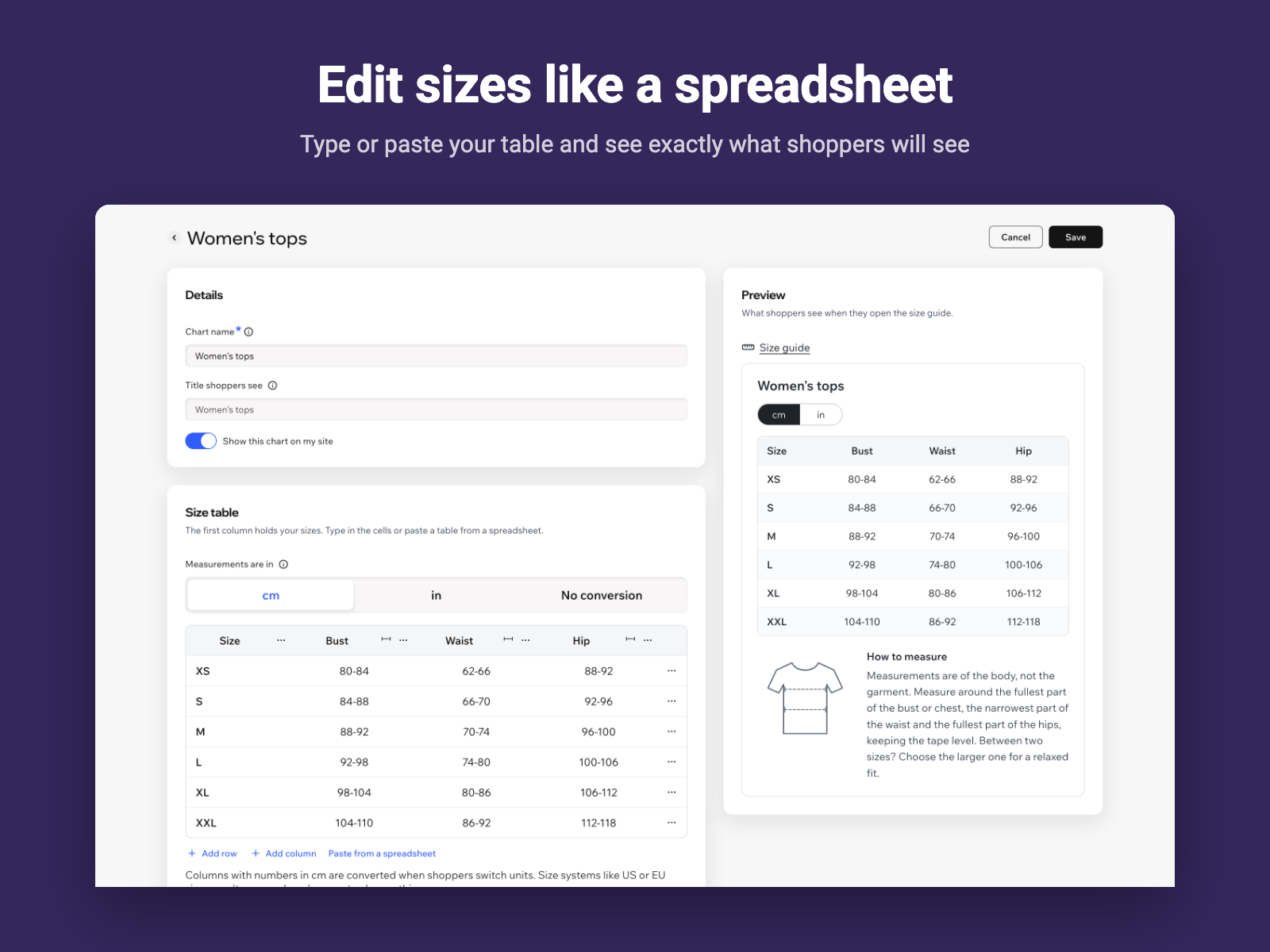
A table editor you already know
Type into the cells, add rows and columns, or paste a whole table from Excel or Google Sheets. A live preview shows what shoppers will see.
DashboardFor Wix Stores · Free plan
Shoppers who can check their size buy with confidence. Sizewise adds a Size guide link under your product options and opens the chart that fits each product, with centimeters and inches and a short guide to measuring.
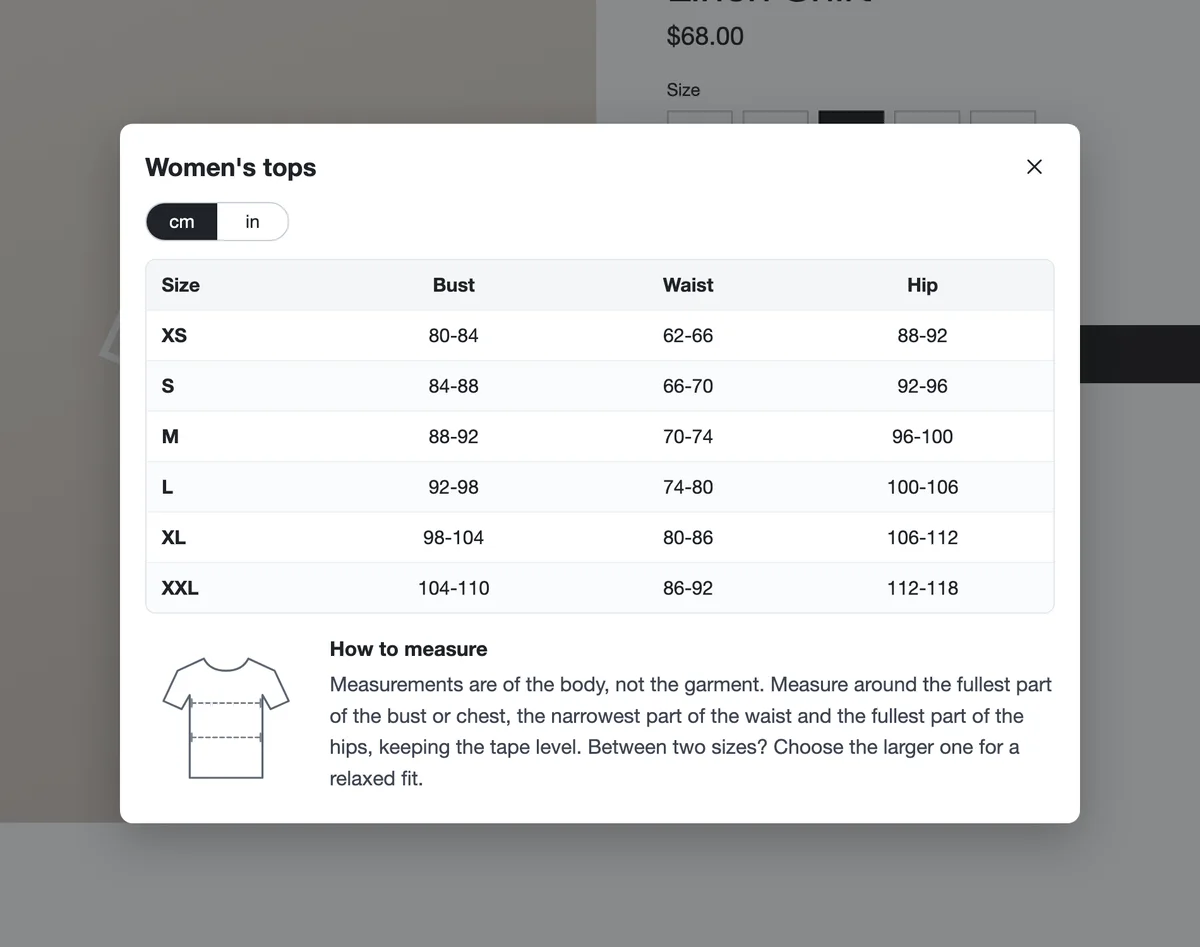
From a ready-made chart to the size guide on your product page, in every language on your site.
Set it up in minutes from your Wix dashboard. The size guide looks at home on any Wix site and works on desktop and mobile.
Type into the cells, add rows and columns, or paste a whole table from Excel or Google Sheets. A live preview shows what shoppers will see.
DashboardShow a single chart store-wide, or different charts for selected categories or products. The most specific chart wins.
AssignmentShoppers switch units with one tap: measurement columns convert, US, UK and EU sizes stay. Add how-to-measure advice with an illustration under the table.
StorefrontIn the Editor, change every word of the size guide, the link or button style, icon, spacing, colors and window shape. The default look follows Wix’s own design.
EditorA real dialog with keyboard support, focus handling and screen reader labels, so every shopper can read your chart.
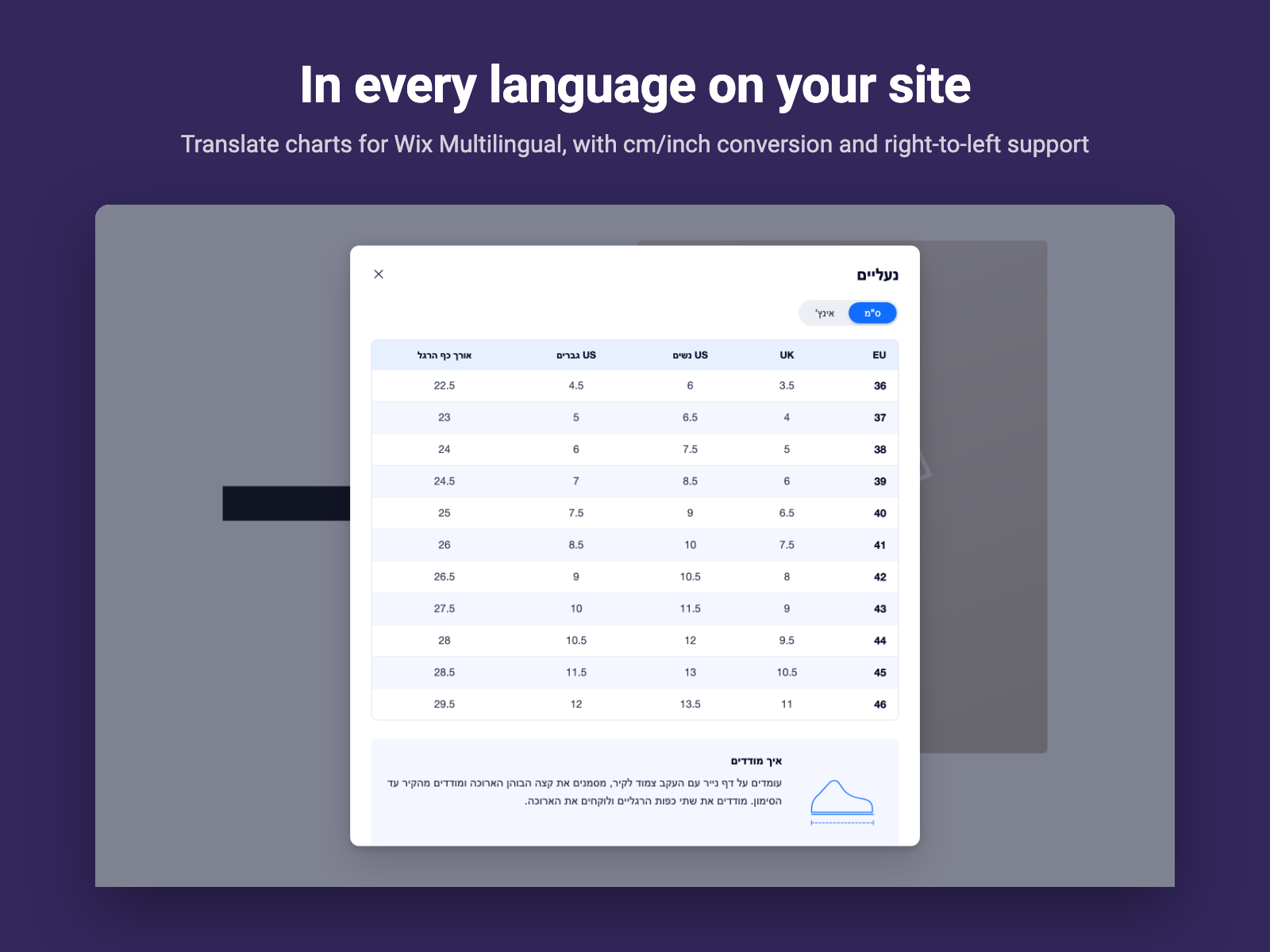
AccessibilityTranslate each chart for every language on your site, by hand or with Wix machine translation. Shoppers see the language they picked. Templates come pre-translated.
Pro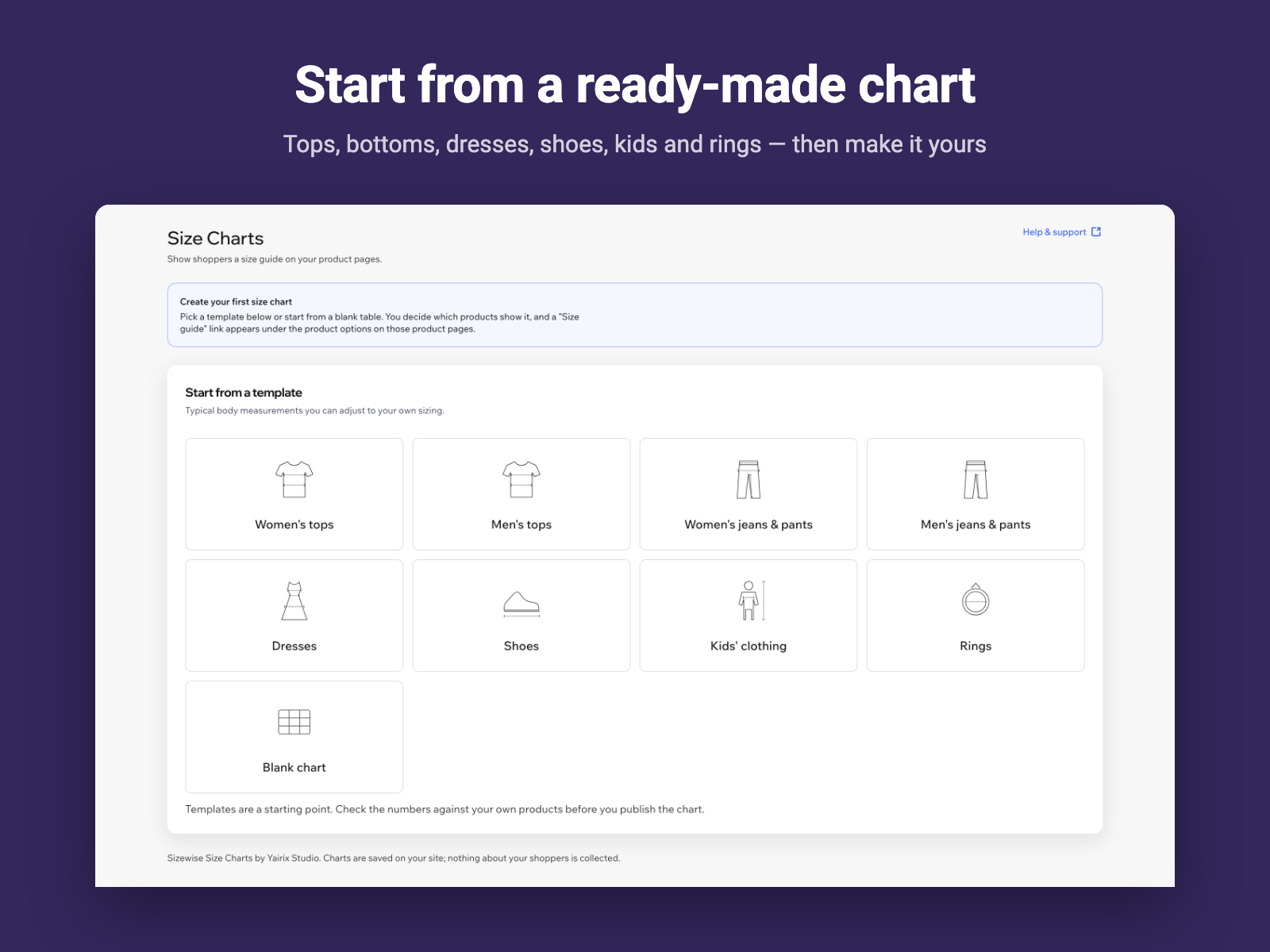
No code and no design work: Sizewise uses your store’s product page as it is.
Pick a template or start blank, then adjust the sizes to your own products.
All products, products in selected categories, or specific products.
One click from the dashboard adds the Size guide link under your product options.
There’s a free plan: up to 2 size charts, a chart for all products, 1 category and up to 3 products, counted across all your charts. Pro removes the limits and adds chart translations for every language on your site, for $3.99 a month or $3.27 a month billed yearly. Wix handles the billing, and you can upgrade or cancel from your Wix dashboard.
A Size guide link appears under the product options on your Wix Stores product page, on both the new and the previous product page. It only shows on products that have a chart. In the Editor you can move it and change its text, style and alignment.
Yes. Assign a chart to all products, to products in selected categories, or to specific products. If a product matches more than one chart, the one chosen for the product wins, then categories, then all products.
You enter your measurements in centimeters or inches. Shoppers can switch units, and every measurement column converts. Columns that hold size systems, such as US or EU sizes, never change. For charts like ring sizes in millimeters, choose No conversion.
No. Your charts are saved in your own site’s content manager, and the size guide only reads them. Nothing about your shoppers is collected or stored.
Yes. When your site has more than one language, each chart gets a Translations section: translate its title, column names, size labels and measuring tips for every site language, by hand or with Wix machine translation (it uses your site’s Wix Multilingual word credits). Shoppers see the chart in the language they picked; anything left untranslated shows as written.
The dashboard and Editor settings are in English, Hebrew, Spanish, French and German. The size guide’s own words follow your site’s language in those five plus Italian, Portuguese and Dutch, and you can replace any of them in the Editor for a language that isn’t listed.
Yes. In the Editor, set the link or button text, style, icon, size, alignment, spacing and colors, and the window’s accent and header colors, stripes, corners and width. By default it uses Wix’s own blue and greys, so it fits any Wix site.
More answers on the support page.
Install Sizewise and publish your first size chart in minutes, on the free plan.